
Planet VPN1.4.01.01 - Download
You'll be able to download in few seconds.
Publisher Description
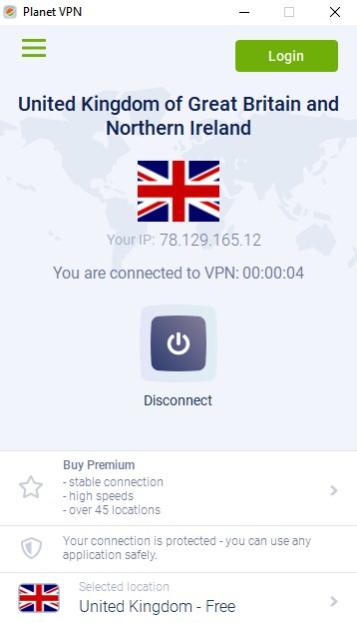
First totally free VPN software Planet VPN - one of the best choices for online security, which provides full access to any blocked web resource. While you hide your real IP address, you also get a military-grade traffic encryption on our servers. No registration required - just install the app and connect to VPN. Thanks to our free VPN Windows app you will get full anonymity, hide your browsing history, encrypt traffic and get full access to blocked websites and services in your country.
Planet VPN provides access to your favorite video or streaming websites, torrent trackers and social networks - YouTube, Facebook, Twitter, VK, Instagram and others.
Free VPN Planet features:
- strict no logs policy;
- strong hard drive encryption on every server all around the world;
- no registration or personal data required;
- no traffic, time or bandwidth limit;
- 5 free locations for you to use;
- high-speed servers, same as most paid services;
- support for all major platforms: Windows, Mac, Android, iOS and browsers Chrome, Firefox;
- support for 10 devices per premium account.
Why Free VPN Planet is a best choice now?
You get totally free app, fully functional and unlimited with characteristics of a premium expensive brands.
In the same time, you have an opportunity to buy a premium subscription to get even more high value features and access to lightning-fast servers in more than 50 countries and 5 continents around the globe.
About Planet VPN
This program is available in English, French, German, Russian, Spanish. It was last updated on 29 September, 2026. Planet VPN is compatible with the following operating systems: Windows.
The company that develops Planet VPN is Free VPN Planet. The latest version released by its developer is 1.4.01.01.
The download we have available for Planet VPN has a file size of 19.9 MB. Just click the green Download button above to start the downloading process. The program is listed on our website since 2022-09-06 and was downloaded 0 times. We have already checked if the download link is safe, however for your own protection we recommend that you scan the downloaded software with your antivirus. Your antivirus may detect the Planet VPN as malware if the download link is broken.
How to install Planet VPN on your Windows device:
- Click on the Download button on our website. This will start the download from the website of the developer.
- Once the Planet VPN is downloaded click on it to start the setup process (assuming you are on a desktop computer).
- When the installation is finished you should be able to see and run the program.
Program Details
General
System requirements
Download information
Pricing
Version History
version 1.4.01.01
posted on 2022-09-06
improved functionality
Disclaimer
External Download
We do not host Planet VPN on our servers. We did not scan it for viruses, adware, spyware or other type of malware. This app is hosted by the software publisher and passed their terms and conditions to be listed there. We recommend caution when installing it.
The external download link for Planet VPN is provided to you by apps112.com without any warranties, representations or guarantees of any kind, so access it at your own risk.
If you have questions regarding this particular app contact the publisher directly. For questions about the functionalities of apps112.com contact us.
